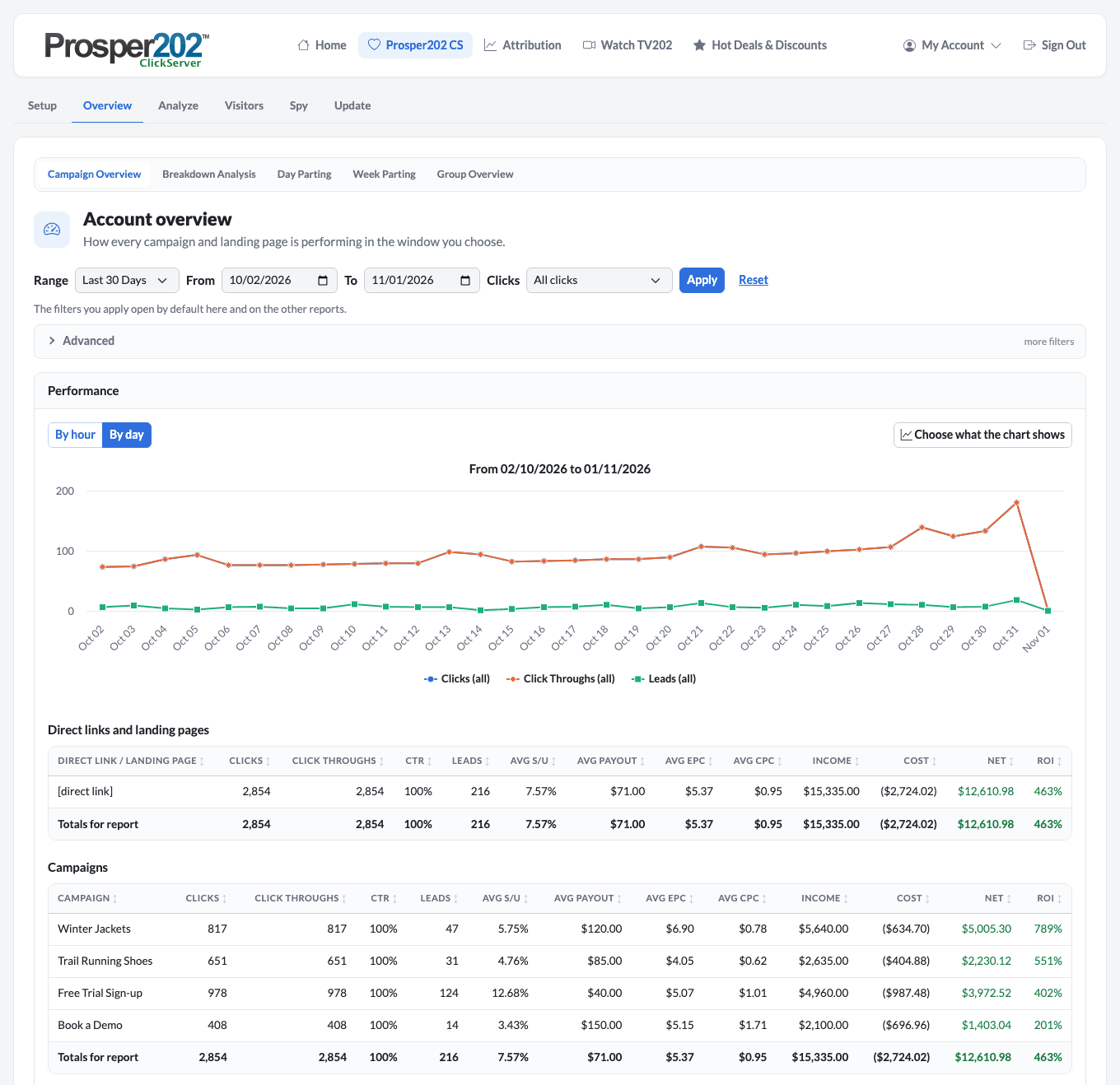
Prosper202 1.9.79 is about one thing: numbers you can act on. You now decide which clicks your reports leave out, and every filtered click tells you why. Your sales, sign-ups and booked calls can flow back to Google Ads and Microsoft Advertising, so their bidding learns from the conversions that actually pay you. And a visitor who comes back through a redirector link counts once, not twice.
It's also a security release, so update every install as soon as you can.
Your rules for which clicks count
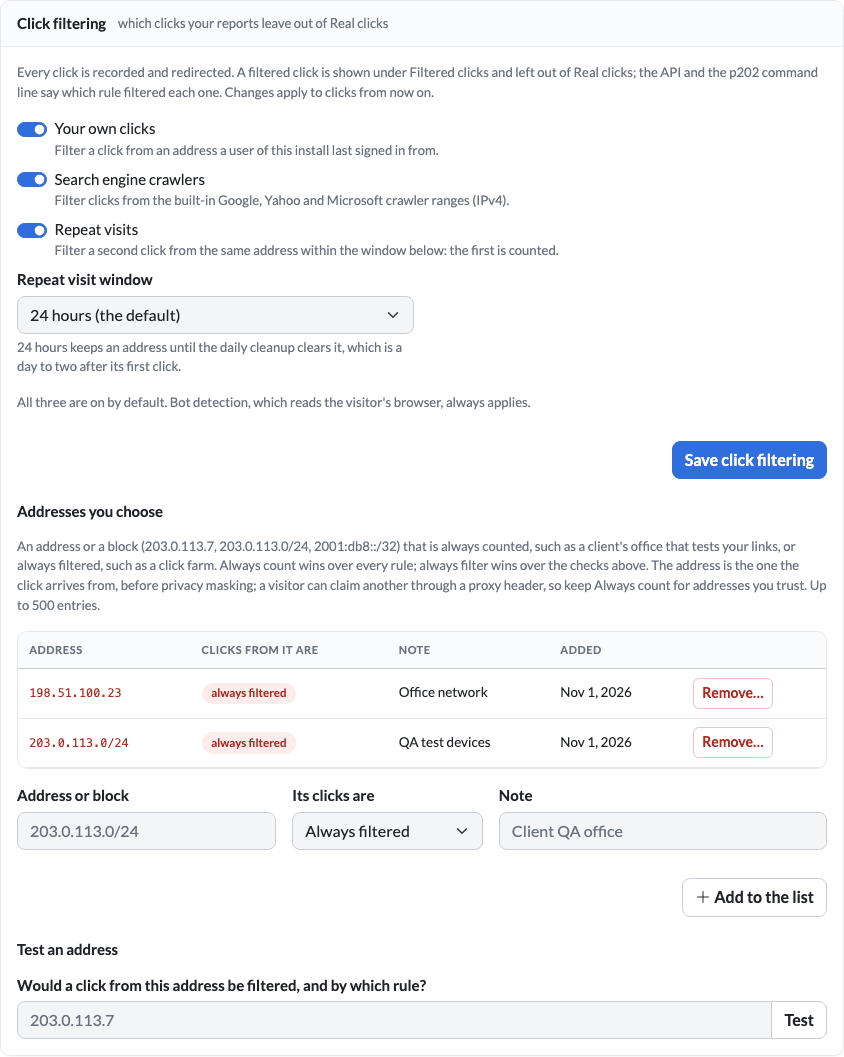
Some clicks shouldn't be in your numbers: your own team checking a link, a search engine crawler, the same visitor tapping an ad three times in an hour. Prosper202 has always filtered them, but the rules were fixed. Now they're yours, under Personal Settings › Click filtering:
- Switch each check on or off: your own clicks, search engine crawlers, repeat visits.
- Choose the repeat-visit window, from 1 hour to 7 days, to match how your customers buy.
- Keep your own list of addresses that are always counted (a client's office that tests your links) or always filtered (your QA devices), with a note on each.
- Test an address before you rely on it: the page tells you whether a click from it would be filtered, and by which rule.
Filtered clicks are still recorded and still redirected; they're just kept out of Real clicks. And every one now carries its reason, so "why is this campaign down 40 clicks?" has an answer.
See how to set it up for your account.
Teach Google Ads and Microsoft Advertising what a sale looks like
Smart bidding is only as good as the conversions it sees. If the sale happens after a sales call, in your own checkout or in your CRM, the ad platform's tag never sees it, and its bidding optimises for the wrong thing.
Setup › Offline Conversions fixes that. Prosper202 already knows which click each conversion came from, and now records the ad platform's click id with it: Google's gclid, plus gbraid and wbraid for iPhone and iPad traffic, and Microsoft's msclkid, from direct links and landing pages alike. It writes your conversions as each platform's own import file. Download it once, or give the platform a private fetch URL and let it collect the file on a schedule, so the upload runs itself.
Only conversions whose click Prosper202 was told about are sent, never a guess, so the platform learns from the right clicks. The page also counts every conversion it left out and says why.
Follow the step-by-step guide.
Cleaner reports, by default
- One visitor, one click. A click re-clicked through a redirector link now counts once in every report, under its latest visit, and its conversion is credited to that visit, with the traffic source and cost of the visit it came from. After the upgrade, the cron job tidies up older re-clicks for you.
- See how each conversion found its click: by the click id the postback or pixel sent, by a tracking cookie, or by a weaker match. It's on every conversion.
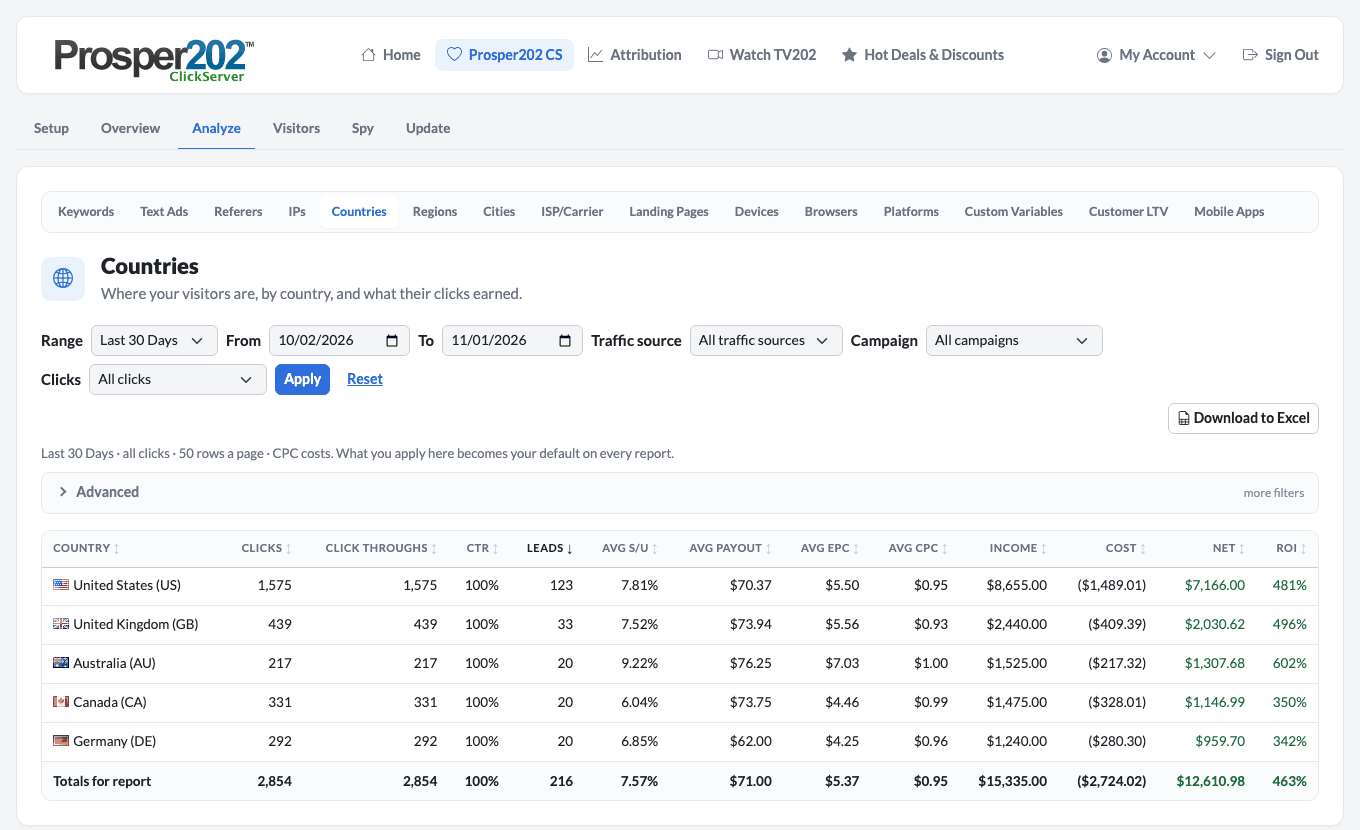
- Fresh location data. A new GeoIP panel in Account › Settings shows how old your location database is, and keeps it current from your own free MaxMind GeoLite account. Country reports and country rules in redirectors stay accurate.
- More ad platform click ids are recorded on every click: TikTok's ttclid and Meta's fbclid, as well as Google's and Microsoft's.
- Payment platform notifications that add up. ClickBank subscription rebills are recorded as conversions, and refunds and chargebacks take the sale back. JVZoo and PayKickstart notifications have working URLs on Account › API integrations.
- Redirector rules in the order you want. Rules are tried in the order the Redirector page lists them, so a new rule no longer has to go last.
- Privacy on by default for new accounts: they start with tracking limited for European traffic.
Your AI assistant can do more
If you've connected Claude, ChatGPT or another assistant to Prosper202, it can now set up traffic sources and text ads, create redirectors and their rules, and adjust your click filtering, as far as the access you gave it allows. Ask it to "add a rule that sends Canadian visitors to our CAD pricing page", and review the change before it's applied.
Before you upgrade
1.9.79 includes security fixes, so update every install. After the upgrade, switching off or removing a user signs them out everywhere, and changing a password ends every other sign-in, including "Keep me signed in". If you think a password may be known to someone else, change it. Saved integration secrets are now shown only as "saved", never on the page.
- Back up your database first. There is no downgrade.
- Customer LTV now needs a role permission. Give the right access to anyone who should keep using it.
- Match conversions by IP address is now a setting per account, in Personal Settings › Advanced.
- The daily email report is gone: Tracking202 has switched that service off.
- Running Docker? Rebuild the image too.
The upgrading guide has every step.
For developers and self-hosters
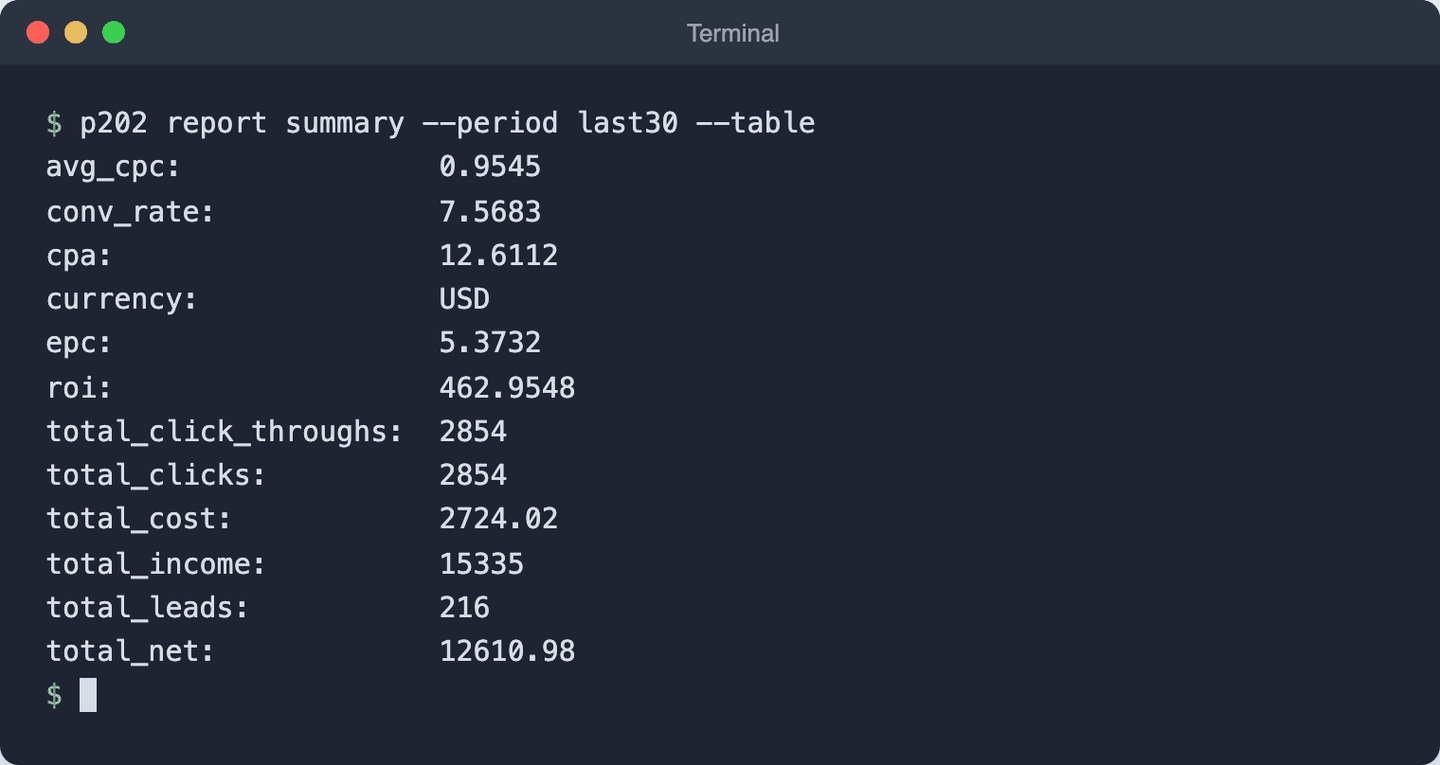
- Offline conversion files from the API and CLI:
GET /conversions/offline-export(formatsgoogle,google_uploads,microsoft) andp202 conversion offline-export;--summarycounts what was left out, by reason. - Filter reasons:
GET /clicksand/clicks/{id}answerfilter_reason, andp202 click list --filter-reason repeat_visitlists the clicks one rule filtered.p202 click-filtermanages the settings and the address list. - Conversions carry
match_method(click_id,cookieand weaker matches). - Redirector rule sets in one write:
PUT /api/v3/rotators/{id}/rulessaves every rule, in order, in one transaction. The MCP tools gainrotator_create,rotator_update,rotator_deleteandrotator_set_rules, plus traffic source, text ad and click filter tools. - LTV: dead webhooks can be revived (
p202 ltv webhooks revive <id>), the minutely cron job now sends LTV webhooks, and the LTV API answers money and rates as numbers. GET /reports/breakdownsays when rows remain after the page (truncated,limit,offset).- Licence check: if Tracking202 can't be reached, installs keep working for a 30-day grace period.
- Requirements: PHP 8.3+, MySQL 8.0+ or MariaDB 10.6+, unchanged. Building the Go CLI from source needs Go 1.27.3; the release zip includes the binaries.
p202 system dataengineshows how far the post-upgrade redirector clean-up has got.
Download prosper202-1.9.79.zip from the GitHub release, which also has the full list of changes.