This post is from 2014. Products, prices and links in it may be out of date. For current instructions, see Upgrading Prosper202.
It's been a week since the New Prosper202 ClickServer 1.8.3 was made available for free download. The feedback we've received has been very positive, and we have enjoyed hearing from everyone who's sent us a message so far.
During this past week, I noticed a few people were experiencing a minor hiccup during the upgrade process from Prosper202 1.7.2.
Have you've seen the following message?
Fatal error: Class 'DB' not found in /202-config/connect.php on line 71
To understand why this is happening, that a look at the image below of the new 202-config.php file
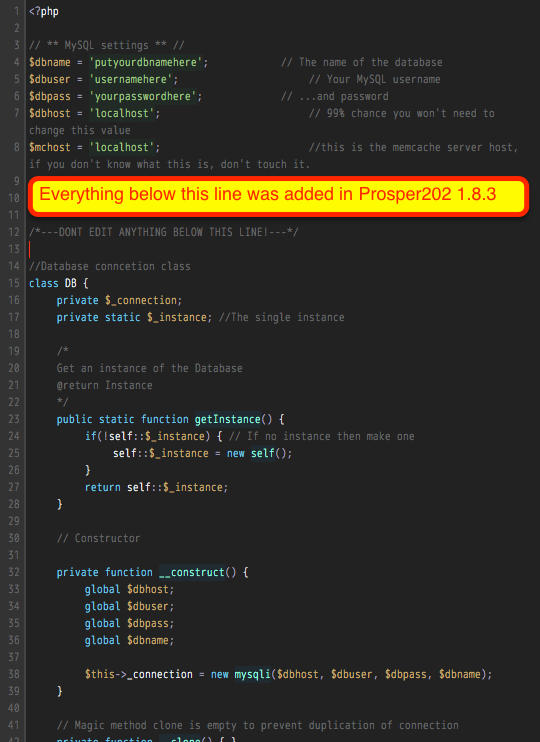
When you upgrade from Prosper202 1.7.2 to 1.8.3 you need to manually transfer your old settings from the old format to the new format.
A template is provided in a file called 202-config-sample.php. For a fresh install you don't have to worry since the install wizard will take care of this for you.