This post dates from 2015 or earlier. Products, prices and links in it may be out of date. The prices, licences and offers in this post have ended and are not available. For Prosper202 Pro today, see the Pro page.
Until now, if you wanted to work together in Prosper202 with a team of people, you had to all use the same login information to access your Prosper202 account. This meant that everyone had the same level of access and permissions to do anything they wanted once they logged in.
With our new role based user permissions you can now have more fine grained control over who has access to login and what they are able to see and do once they login.
Do you have a temp freelance that you need to setup a few campaigns? Just make an account for them, they can now setup offers and landing pages but not have access to your campaign results data.
Prosper202 Pro comes with 4 predefined roles. The super user is assigned to the account that was created when you first setup Prosper202 Pro. This user has access to all functionality inside of Prosper202.
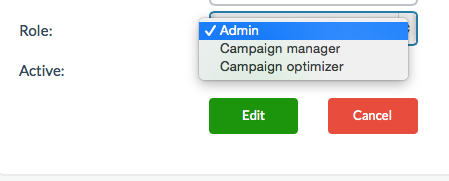
There is the Admin user for managing everything, the campaign manager account lets someone update and work in the account without being able to delete anything. Then there's the campaign optimizer who has limited insights and no permissions to edit anything.
Which these pre-defined roles, you can now comfortably work with multiple team members and still have control over how much access and insights they have into your account.
In our next few releases, you will be able to create your own custom roles to match your exact needs.
So as you can see, if you are an agency, startup, small business or a bigger performance marketer working with a team of people, these new features are exactly what you need to comfortably give access to your Prosper202 account, while knowing you have the ability to limit access and prevent accidental deletion of settings or campaigns in the process.
Additionally with our new Slack integration, you will get a full real-time audit log of everything that happens in your account, and know exactly who did it.
Here are a few images of our new multiple user/team management features.
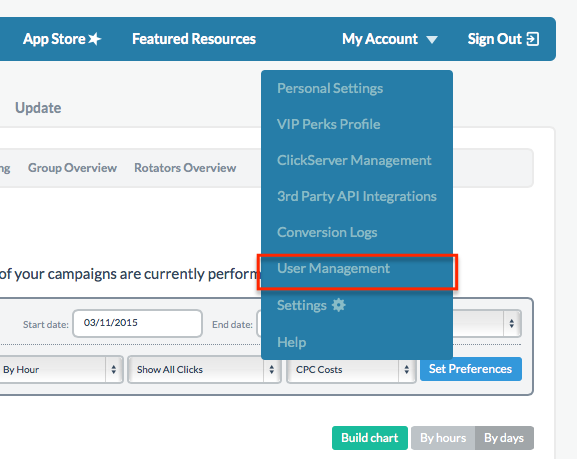
Access User Management Setting Via the My Account Dropdown
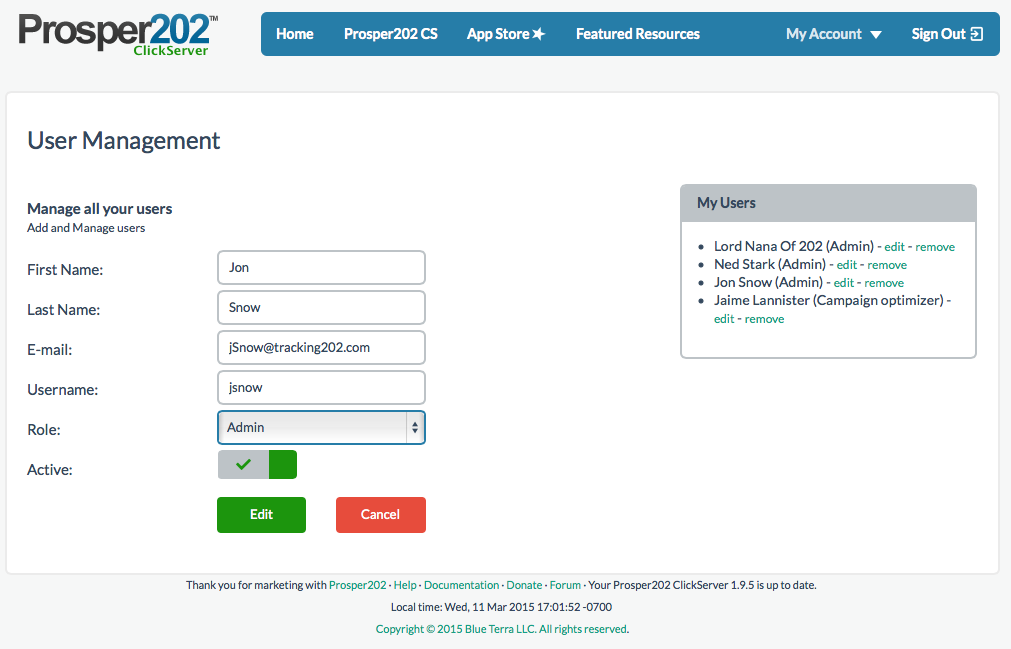
Add, Edit, or Delete Users
Choose a role from our pre-defined list
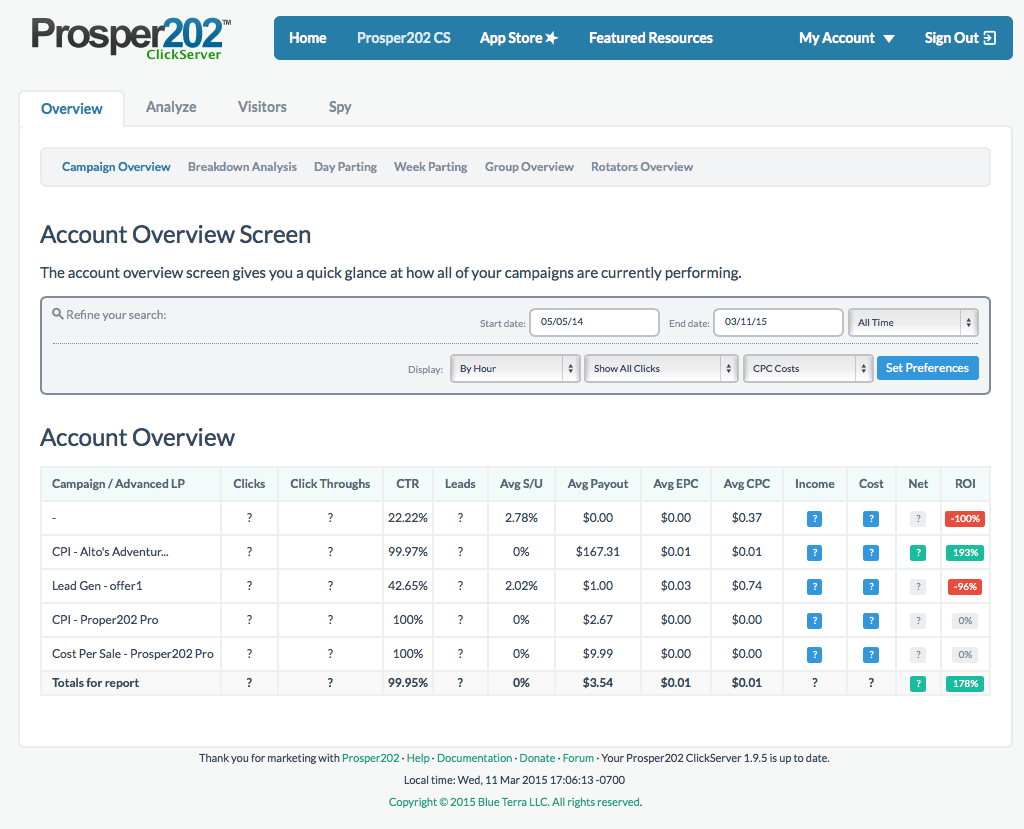
Easily hide actual revenue data
You can get early bird access to Prosper202 Pro right now.
Order now at the reduced early bird pricing we've setup for you. Broken down over the course of one year, your discounted investment for Prosper202 Pro comes out to only $2.74 a day.
Quick FAQ
Q: Can I easily upgrade my current version of Prosper202A: Yes, Prosper202 Pro is a drop in replacement for the free prosper202. Once you upgrade it will convert all your settings to the new version and even port over your old data. Once it's ported, you will enjoy all the benefits we posted about above as well as blazing fast reporting.
Q: Is Prosper202 Pro hosted on your servers?
A: No Prosper202 Pro is still fully self-hosted just like the version of Prosper202 you are using right now and have used for many years.
Q: Will I still have access to the source code?
A: Absolutely, There's not a single line of encrypted code in Prosper202 Pro. You get access to the full source code to modify to fit your needs as you see fit.
Q: Is there a restriction on how many domains I can install Prosper202 Pro on?
A: Not at all! Your purchase give you the right to install and use Prosper202 Pro on as many domains as you own.
Q: How about support?
A: Every single license of prosper202 Pro come with support directly from the development team. You'll get direct access to someone who's knowledgable and able to resolve your issues quickly. No clueless outsource teams here who will only frustrate you further.
Q: Is there a monthly fee I have to pay or is this a one time payment?
A: Prosper202 Pro is priced as a one time payment. Your purchase comes with 1 year of support and free upgrades. After the year you may choose to renew the support and upgrades for another year. However if you choose not to, you are welcome to continue to use the version of Prosper202 Pro you have. It won't lock up, stop working or degrade in performance. We are not going to lock you into paying us every year just to use the software. However we are certain that once you start using Prosper202, you will gladly continue to upgrade for many years to come.